
How to Add a Watermark to a Word Document
- Click on the Design tab
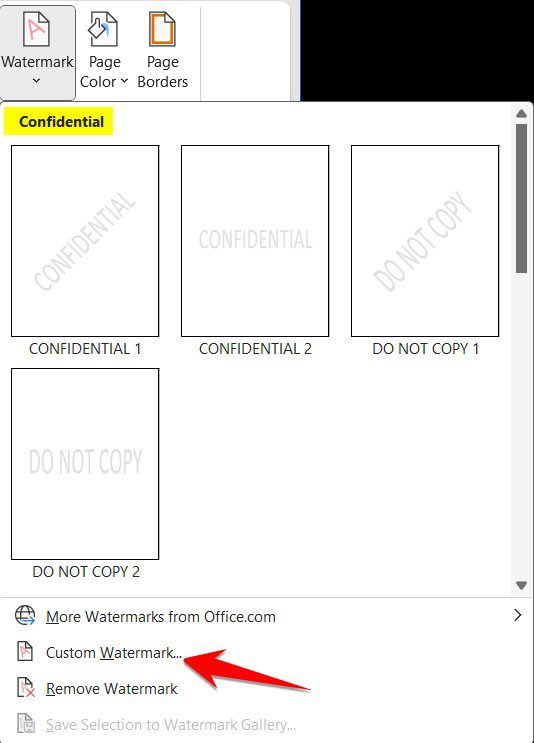
- On the right side of the ribbon click on the arrow under Watermark

- Click on one of the Confidential watermarks, or
- Click on Custom Watermark
Here you can add a picture (for example a logo)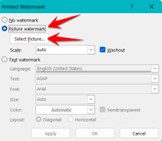

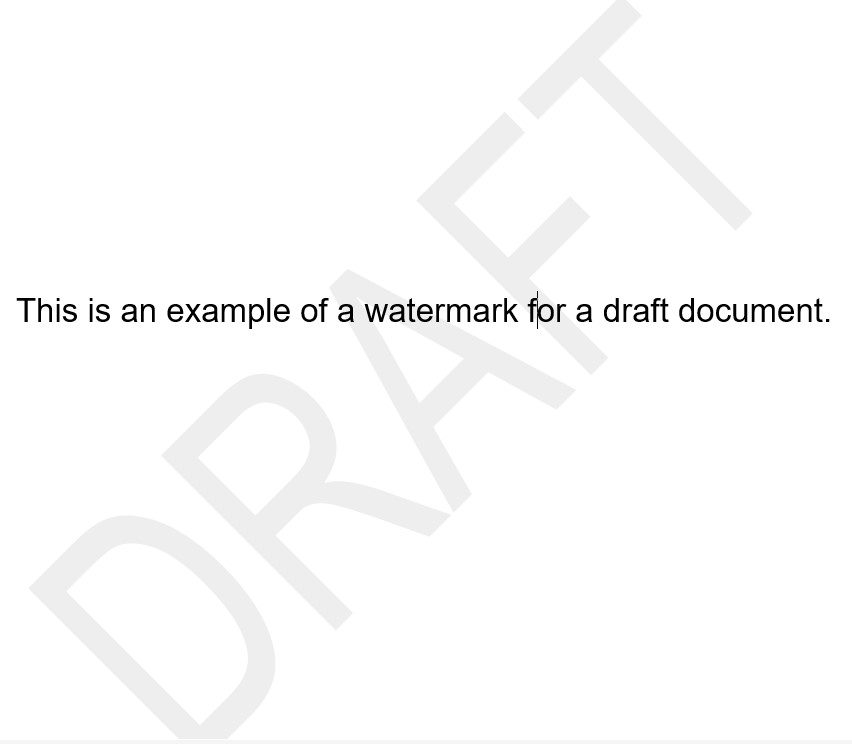
- You can also create custom text (This would be good for a draft document)
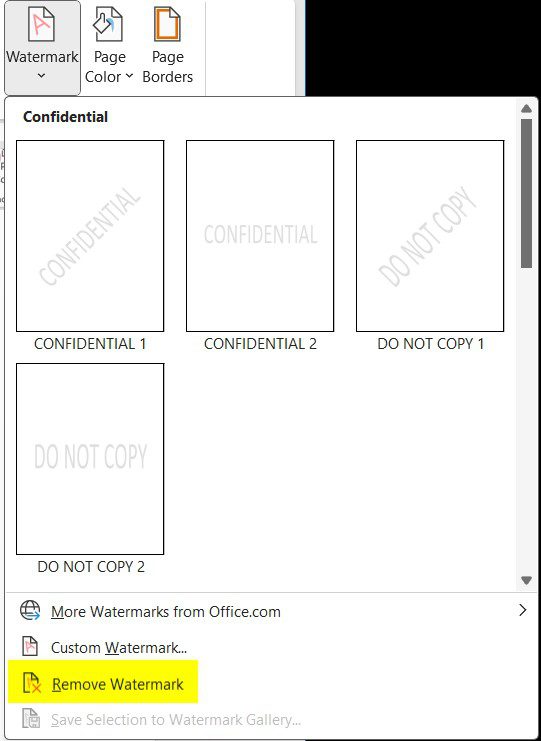
- To remove a watermark click on Remove watermark
More watermarks are available from office.com
Watch the video here: https://youtu.be/fKG2_kb_Ujs